
Automatic Email Notifications
AcademyOS sends emails automatically at key moments. You don’t need to do anything.
Emails parents receive
Sent immediately after a parent completes registration and payment. Includes squad name, plan summary, and portal login link.
For recurring plans only — sent right after Stripe Checkout. Lists plan name, amount, billing cadence, trial end date (if any), and the next charge date.
Stripe sends an automatic branded receipt email after every successful charge (one-off and every recurring renewal). We don't double-send our own — Stripe's receipt is authoritative.
Sent if a recurring charge fails. Tells the parent Stripe will retry automatically and includes a link to update their card via the Billing Portal.
Sent when a recurring subscription terminates (parent-initiated cancel reaches its period end, or Stripe's retry window exhausts after a failed charge).
Sent automatically when you issue a refund from /admin/orders. Includes the amount, whether it's partial, your reason (if given), and how long card refunds typically take.
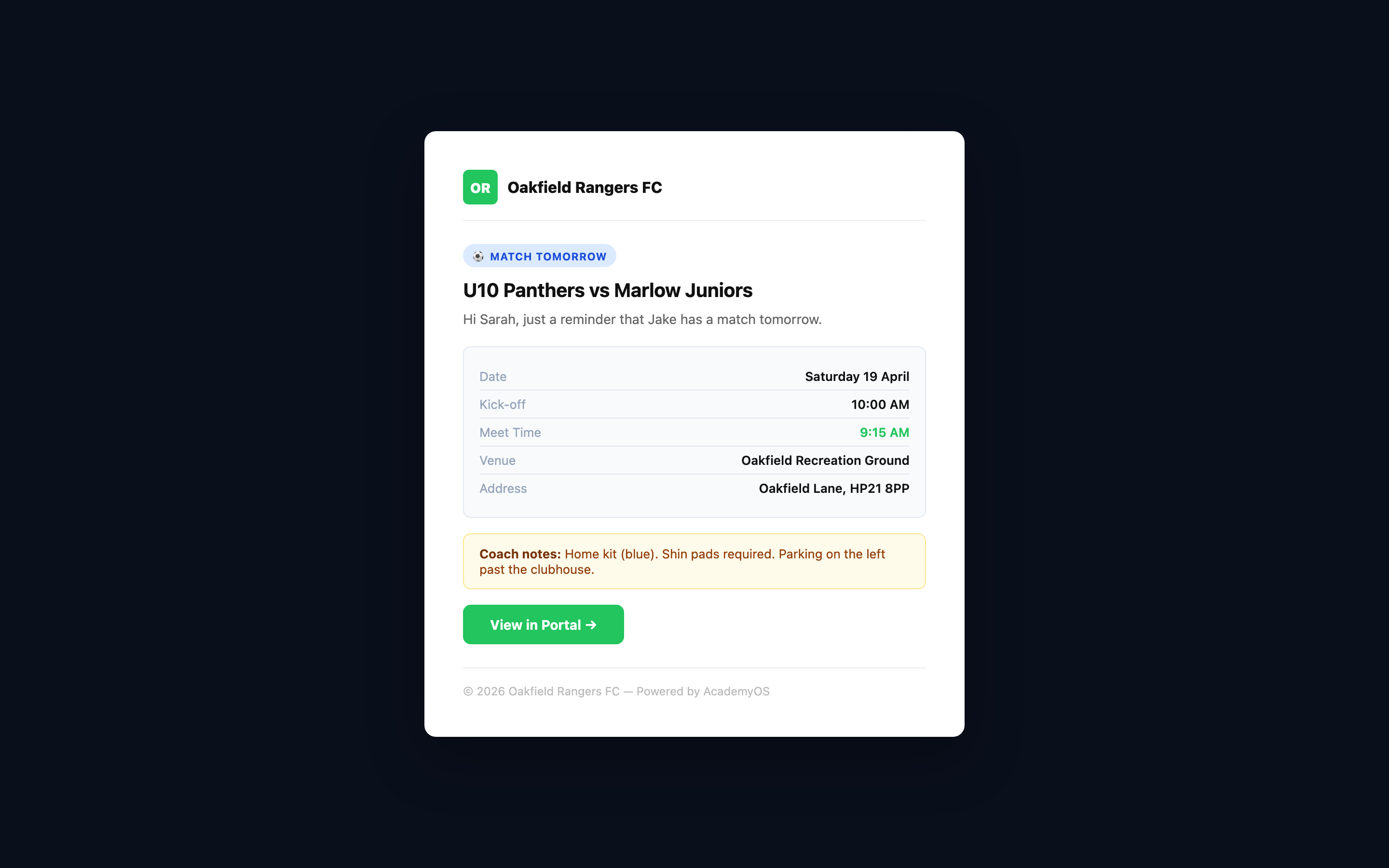
Sent the day before every training session or match. Includes date, time, venue, and any coach notes (e.g. 'Home kit, shin pads required').
Same as session reminder but includes match-specific details: opponent name, meet time, venue address with postcode, and your match notes.
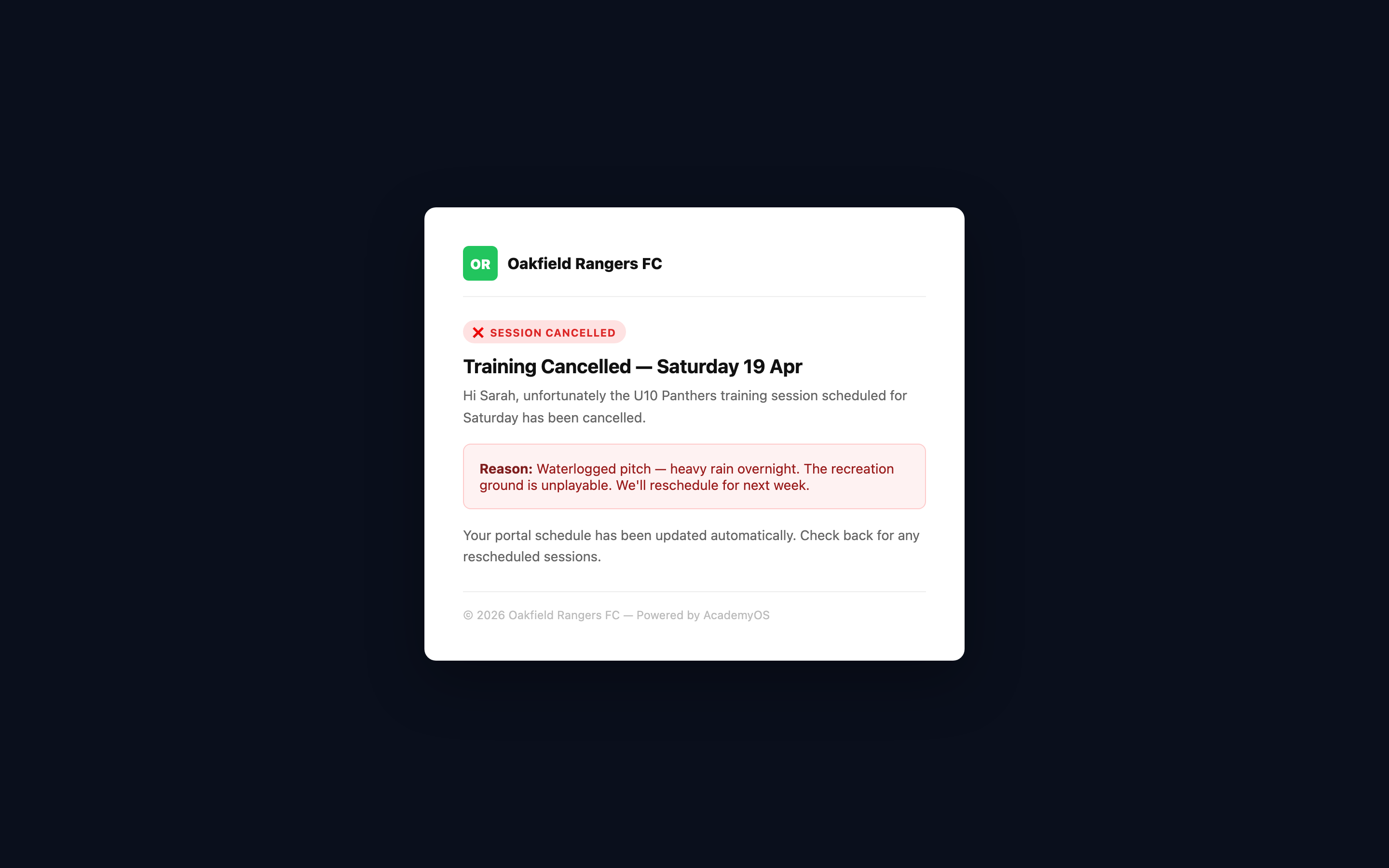
Sent immediately when a coach cancels a session. Includes the cancellation reason (e.g. 'Waterlogged pitch'). Parents know instantly — no WhatsApp needed.
Sent when a registration is still unpaid a few days after sign-up. Names the child, explains the payment is outstanding, and links to the payment-status page in the portal, where the amount due is shown.
- All emails use your club's name and branding — parents see your club, not AcademyOS.
- Session reminders go out automatically the day before. You never need to manually remind parents.
- Cancellation emails are sent the moment you cancel a session — even if it's 30 minutes before kick-off.
The Parent Portal
Parents log in to their portal to see everything in one place — no more “what time is training?” messages.
What parents see in their portal
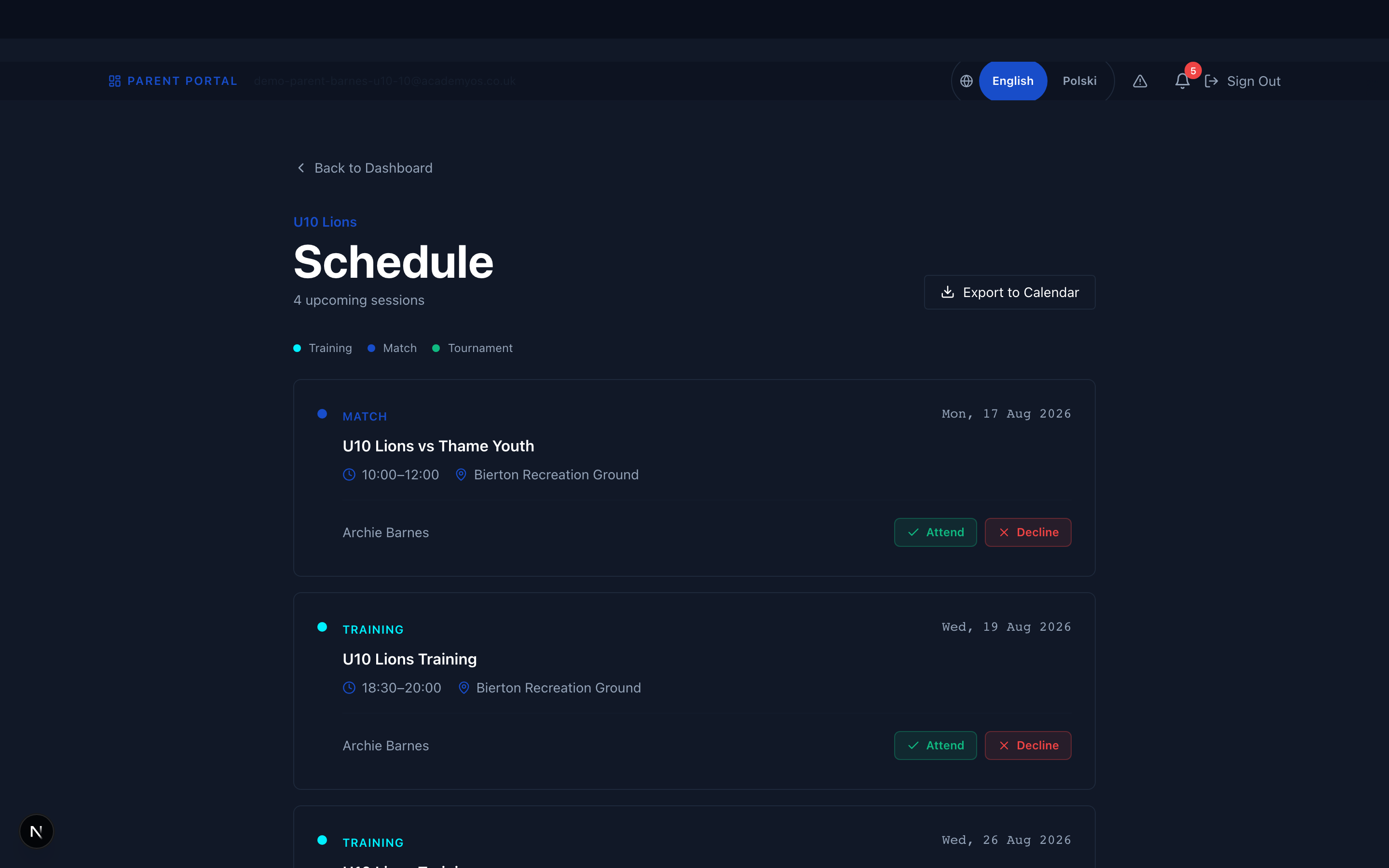
Full calendar of upcoming sessions and matches for their child's squad. Each entry shows date, time, venue, session type, and coach notes.
For matches: opponent, home/away, meet time, venue address (clickable for maps), and your match notes (kit, parking, etc.).
Cancelled sessions are shown with a clear 'CANCELLED' badge and the reason. Parents can spot it instantly.
Outstanding balance, payment history, receipt downloads, and a 'Pay Now' button for anything due.
Their child's attendance percentage, updated in real time after each session.
Progression notes written by the coach. Parents love seeing updates about their child's development.
Download the schedule as an .ics file — adds all sessions and matches to their phone calendar automatically.
- Remind parents about the calendar export feature — it means they never miss a session.
- The portal is mobile-friendly. Parents can check the schedule from the car park.
- Parents can report absences in advance from the portal. You'll see it on the attendance sheet before the session.
What You Need to Do (Almost Nothing)
Most notifications are automatic. Here’s the tiny amount that needs your input.
Your checklist
Add training sessions and matches to the schedule. Parents see them in their portal instantly and get reminded the day before.
When creating a match, fill in the 'Match Notes for Parents' field with kit colour, parking info, and anything specific. This is included in the reminder email.
If a session is cancelled, cancel it in AcademyOS immediately. Parents are emailed the moment you hit cancel.
Write a quick update on each player monthly. Parents see this in their portal and it shows you care about their child's development.
- If you create all fixtures at the start of the season, parents get the full schedule immediately.
- You can add or edit match notes right up until the session starts.
- The more consistent you are with scheduling, the less parents will message you on WhatsApp.
Example: Saturday Match Day
Here’s what happens automatically when you schedule a Saturday 10am match.
Timeline
Match appears in parent portal immediately. Parents can see it in their schedule.
Automatic email reminder: 'Match vs Marlow Juniors — Saturday 10:00am. Meet at 9:15am. Home kit.' with venue address.
Parent opens portal on phone → sees match details, venue address (clickable for maps), and your match notes.
You hit 'Cancel' in AcademyOS → parents get an email within seconds: 'Match cancelled — Waterlogged pitch.'
You enter the result → it appears in the Match Centre. Parents see the score, goalscorers, and MOTM.
Say goodbye to WhatsApp chaos
Create your schedule once. Parents are kept in the loop automatically.